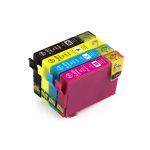
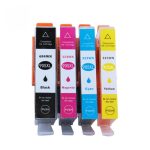
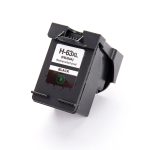
Posted on Leave a comment

Printer Ink & Toner Too Expensive? Compare Your Costs

If replacement ink or toner costs more than you expected, compare the cost of printing—not just the price on the box. Begin with supplies that actually fit your printer, then check yield, delivered price and any operating restrictions. You may find a better option without changing your printer, but savings are not guaranteed.

Compare ink cartridge options | Compare toner options | Find your cartridge

Why does printer ink feel so expensive?

A low upfront printer price tells you little about its future supply bill. Repeated replacements can make small individual purchases feel expensive over time. UK consumer organisation Which? has documented substantial differences in ink running costs in its printer testing. Those UK examples are not New Zealand prices or a saving promise for your printer.

1. Compare like-for-like replacements first

Write down your full printer model and required cartridge number. Compare the same colour and pack size. Check whether each listing is original, compatible or remanufactured, and read the compatibility notices. A low-priced cartridge that will not work with your printer is not a saving.

Our compatible-versus-original guide explains the decision. Check firmware, HP+ and subscription conditions before considering third-party supplies; do not assume they work with every printer.

2. Estimate cost per page, not just pack price

Estimated cartridge cost per page = cartridge price ÷ stated page yield. Use comparable yield information. This is a planning estimate, not a guarantee of actual output, and excludes paper, power and other maintenance.

For illustration only: a NZ$30 cartridge rated for 300 pages is 10 cents per page; a NZ$45 cartridge rated for 600 pages is 7.5 cents per page. These are invented examples, not InkInk product prices or tested yields. Photos, coverage and your printer’s use can change the result.

A colour set should not be calculated by simply adding the individual cartridges’ page yields together. If the yield basis is unclear, ask before relying on a cost comparison. Read the standard-versus-XL guide for more detail.

3. Buy the parts you need, not an automatic full set

If just one colour is low, compare buying that cartridge against a set at the current prices. With a laser printer, check whether the drum is a separate consumable before ordering both parts. Include shipping and any additional required parts when comparing the delivered total.

4. Match the purchase to your printing habits

XL or high-yield supplies can be worth comparing for regular printing, but the larger upfront purchase is not always necessary for occasional use. Check manufacturer storage guidance before keeping several spares. Preview documents before printing and use your printer’s appropriate quality setting for drafts; do not compromise an important document simply to save supplies.

5. Compare a subscription or a different printer carefully

If already subscribed, review your own plan’s allowance, extra-page charges and cartridge-use conditions. If considering a tank or laser printer, include its purchase price and the work you actually print. A different printer may suit some users, but buying new hardware solely to avoid one cartridge bill needs a full cost comparison.

Already seeing a low warning?

Identify the correct spare before your next important print job. A low warning is not a fixed page countdown; follow your exact model’s guidance for replacement or stop messages.

Start with the cartridge finder and check current product prices, stated compatibility and delivery and returns. Call 0800 INKINK if you cannot confirm a fit. We do not promise that any particular supply is cheapest in NZ or will reduce every customer’s running costs.

Background reference: Which?: ways to reduce printer ink spending (UK, May 2024). Prices and suitability must be checked for your own printer and location. Reviewed September 2026.
Posted on Leave a comment

Toner Low? When to Replace Your Toner Cartridge

A toner-low message is a good time to identify and prepare the right replacement. It does not give every printer the same number of remaining pages. Read the exact message before ordering: toner, drum and other maintenance parts are not interchangeable.

Shop toner cartridges in New Zealand | Find your replacement cartridge

Can I keep printing after a toner-low warning?

Brother’s guidance for the models covered by its Toner Low article distinguishes a low warning from end of life. It advises preparing a spare and replacing the toner when output is no longer acceptable or a Replace Toner message appears. Other printers may behave differently: follow the exact model’s instructions, not a generic internet reset procedure.

How long will the remaining toner last?

A warning is not a guaranteed page allowance. Dense graphics and light text place different demands on a cartridge. Plan around your next important job, rather than assuming the remaining toner will last another week. Confirm stock and delivery information before you need the spare; do not assume any seller can guarantee tomorrow’s arrival.

Do I need toner or a drum?

Toner supplies the material used to form the printed image; a drum is a different component. Some printers use separate replaceable units. A toner-low message does not, by itself, justify replacing both. Check the exact printer message and the replacement procedure in its manual.

If your printer lists a separate drum, compare the part number carefully. InkInk’s toner and drum information can help you start that check; the individual product’s compatibility details remain essential.

Why does toner replacement seem expensive?

Start with the total delivered price, but also check the stated yield for each suitable option. A higher-yield cartridge costs more upfront in some cases yet may have a lower estimated toner cost per page. Where drums are separate, include their future cost when planning the printer’s overall running budget.

Do not assume that every high-yield option fits every printer in the same family. Compare compatible and original supplies and how to calculate cost per page, using current prices and comparable stated yields.

What if my printer stops or prints badly?

Follow the manufacturer’s replacement or troubleshooting procedure for your exact model. Faint output is not proof that every problem is caused by low toner. Do not apply an unrelated reset, open a toner cartridge or defeat a stop message simply to keep printing. Seek model-specific help if the warning persists after the correct replacement.

Ready to prepare your spare?

  1. Record the full printer model and exact screen message.
  2. Check whether you need black or a particular colour, toner alone or a separate drum.
  3. Confirm the cartridge number, product type and stated compatibility.
  4. Check current price, stock and delivery and returns information.

Browse toner options or call 0800 INKINK if you cannot confirm a fit before ordering.

Manufacturer reference: Brother: Toner Low or Prepare New Toner Cartridge. Guidance is model-specific; reviewed September 2026.

Posted on Leave a comment

Printer Ink Low? When to Replace Your Ink Cartridge

Low ink is a prompt to plan your next purchase, not a reliable countdown of pages remaining. What you should do next depends on your printer, its exact message and the quality of your prints. Have a replacement ready before an important document is due.

Find the right replacement cartridge | Shop ink cartridges in New Zealand

Can I still print when my printer says low ink?

For the HP inkjet printers covered by its low-ink guidance, the warning is an estimate for planning. Printing can continue while output remains acceptable, until a replacement-required message appears. This is not a rule for every printer. Follow your own model’s manual, especially for empty or stop messages.

How many pages are left after the warning?

There is no dependable universal number. A page of plain text and a page full of photographs use very different amounts of ink. A percentage or warning alone cannot promise that you can finish a particular job. If the document matters, confirm the correct spare rather than relying on an assumed extra 50 or 100 pages.

Before buying, check these four things

  1. The exact message: low ink, empty ink and cartridge not recognised are different problems. A recognition error does not by itself mean the cartridge has run out.
  2. The affected colour: check which cartridge is identified. Do not automatically buy a full set if you only need one colour.
  3. The full printer model: include letters and suffixes from its label or settings. Cartridge shape and printer brand alone do not establish compatibility.
  4. The system: a tank printer needs the specified ink bottle, not an ordinary cartridge. Check any firmware, HP+ or subscription restrictions before choosing third-party supplies.

Replacement ink feels expensive: what can I compare?

Compare the current price, stated page yield, product type and delivered total for options that fit the same printer. The cheapest pack is not necessarily the lowest cost per page. An XL cartridge can make sense when its yield and your printing needs justify the extra upfront cost.

Compare standard and XL cartridge costs or read our compatible-versus-original buying guide. Neither XL nor compatible ink is automatically the right answer for every model or user.

Should I replace it now or keep a spare?

If the printer allows printing and the result is satisfactory, check the model’s guidance before replacing it solely because of a low warning. If quality becomes unacceptable or the printer requires replacement, follow the replacement instructions. Avoid defeating stop messages or repeatedly running cleaning cycles just to remove a low-ink alert.

Need help choosing ink?

Use the cartridge finder, then confirm the product compatibility details before ordering. If unsure, call 0800 INKINK with your printer model and the exact screen message. Check stock and the delivery and returns information before relying on an arrival date.

Manufacturer reference: HP: Ink Alert or Low on Ink message. Guidance is model-specific; reviewed September 2026.

Posted on Leave a comment

Compatible vs Original Ink and Toner Cartridges: How to Choose

The right cartridge is not simply the cheapest one with a similar number. It must fit your exact printer and suit the way you print. Here is a practical comparison of original, compatible and remanufactured ink and toner cartridges.

What the names mean

  • Original or genuine: supplied under the printer manufacturer’s brand.
  • Compatible: a new third-party cartridge designed for specified printers.
  • Remanufactured: a previously used cartridge that has been processed for reuse. The process and components replaced vary by supplier.

A printer brand in a product title can describe compatibility rather than who made the cartridge. Read the listing’s product type before buying.

Compare cost, not just price

Where comparable page yields are stated, divide the current price by the yield. For example, a hypothetical $30 cartridge rated for 1,500 pages costs 2 cents per rated page. A hypothetical $45 cartridge rated for 3,000 pages costs 1.5 cents. These are examples, not current product prices or promised real-world yields.

Photographs, dense graphics and cleaning routines can increase consumption. Use the same yield basis when comparing options. See our cost-per-page and XL guide.

When a compatible cartridge may make sense

It can be an option when your exact printer is listed, the product notices do not rule it out, and you are comfortable with the supplier’s support and returns terms. A lower purchase price alone does not establish lower total printing cost or equal performance.

When to check before ordering

  • Your printer has firmware or chip restrictions.
  • You have enrolled in a printer programme or subscription that restricts supplies.
  • The printer was purchased overseas and cartridge regions may differ.
  • You cannot find the complete printer model in the compatibility list.
  • You need a particular print quality for colour-critical work.

For HP printers, read about HP+, Instant Ink and Dynamic Security and check the current product notice. Do not assume every third-party cartridge will work on every supported-looking printer.

Ink and toner are not interchangeable

Inkjet printers use liquid ink; laser printers use toner powder. Some laser printers also need a separate drum. Tank printers require specified refill bottles. Choose the correct supply type before comparing prices.

A five-point buying checklist

  1. Find the full printer model.
  2. Confirm the exact cartridge and region.
  3. Read the product type and restrictions.
  4. Compare current price and comparable stated yield.
  5. Check delivery, returns and support terms.

Shop ink cartridges Shop toner cartridges

Not sure which option fits? Use our cartridge guide or call 0800 INKINK. Check our delivery and returns information before ordering.

Posted on

EcoTank and MegaTank: Filling Them Properly, and the Three Things That Kill Them

Tank printers changed the running-cost maths completely — Epson EcoTank, Canon MegaTank, HP Smart Tank all work the same way. They also fail in different ways from cartridge printers, and the advice that works on a cartridge machine can make a tank machine worse.

What is actually different

There is no cartridge. The printer has built-in reservoirs that you refill from a bottle. The print head is permanent and stays in the printer for its whole life.

Two consequences that matter:

  1. Ink is cheap, the head is not. On a cartridge printer, a blocked head often gets replaced along with the cartridge. On a tank printer there is nothing to replace — if the head dies, the printer is done. Head maintenance matters much more here.
  2. You cannot tell the ink level from the software alone. Look at the actual tanks. The window on the front is the honest gauge.

Filling it properly

  • Fill to the upper line, not to the top. The tanks need air space. Overfilling causes leaks and, on some models, ink flooding into the waste pad.
  • Match the colour to the tank. Modern Epson bottles are keyed so the wrong colour will not seat — do not force one that will not go.
  • Do not top up a tank that is only slightly down. Wait until it is near the lower line. Constant topping up makes it impossible to judge consumption and increases the chance of spills.
  • Keep the printer level while filling and afterwards.

Which bottle does an EcoTank take?

Epson’s bottle numbering is not obvious and it is the single most common EcoTank ordering mistake. The bottle number is not the printer number.

Bottle Common New Zealand models
502 ET-2700, ET-2750, ET-3700, ET-4750 and similar
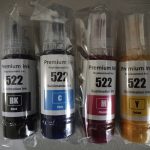
522 ET-1110, ET-1810, ET-2710, ET-2720, ET-2810, ET-2820, ET-2910, ET-2920, ET-4700, ET-4800, ET-4900
542 / 552 / 664 / 774 Larger and older EcoTank and ET-M models

Check the label on the back of the printer against the product page before ordering. If in doubt, read the model to us on 0800 INKINK.

Buy it here
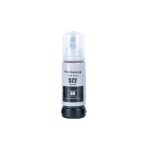
Epson 522 EcoTank Ink Bottle - Professional Recommended
Fits 7 printer models, including ET-1110, ET-1810, ET-2710 and more.
$9.98incl GSTIn stock in AucklandAdd to cart

The three things that kill tank printers

1. Long gaps between jobs

This is the big one. The head is permanent, and permanent heads dry out. Print one colour page a week. A page of coloured text is enough. It costs fractions of a cent and it is the single most effective thing you can do.

2. Switching off at the wall

Turn the printer off with its own power button. That parks the head on its capping station, which seals it against air. Killing power at the wall leaves the head exposed. On a tank printer this is not a minor habit — it is the difference between a head that lasts years and one that does not.

3. Running a tank dry

Letting a tank empty completely can draw air into the ink line, and clearing that is much harder than a normal clog. Refill before it hits the lower line.

If it is already printing badly

Same order as any inkjet: nozzle check first, then two cleaning cycles and no more, then leave it off overnight using its own button. Cleaning cycles on tank printers still fill a waste pad, and on Epson models a counter tracks it — when it fills, the printer stops until it is serviced.

If it is still blocked after that, a proper cleaning kit is the next step, and on a tank printer it is worth doing carefully because there is no head to replace.

Buy it here
Printer Head Nozzle Cleaning Kit
$19.99incl GSTIn stock in AucklandAdd to cart

The full method, including what not to put through a print head, is in our print head guide.

Is a tank printer right for you?

Honestly: it depends on volume, and the break-even is higher than the advertising suggests. Tank machines cost more up front. If you print a few hundred pages a year, a cartridge printer is fine and you will never recover the difference. If you print thousands, the tank machine pays for itself and keeps going.

Work out your own number with the method in our cost per page guide rather than taking anyone’s word for it.

Posted on

Pigment or Dye? Why Your Printer Has Two Kinds of Black

Dye and pigment are two genuinely different kinds of ink, they behave differently on paper, and using the wrong one is why some prints run when they get damp and others fade on the fridge. Most people never hear about this until something has already gone wrong.

The difference in one table

Dye ink Pigment ink
What it is Colour dissolved in liquid Solid colour particles suspended in liquid
On the page Soaks into the fibres Sits on the surface
Colour Brighter, wider range — better for photos Slightly flatter, but crisper edges on text
Water Runs if it gets wet Water resistant once dry
Light Fades faster Holds colour much longer
Clogging Less prone More prone if the printer sits unused

Which one is in your printer?

Most home inkjets use both, and this catches people out.

A very common arrangement — Canon PGI/CLI, HP OfficeJet, many Epson — is:

  • Pigment black for text, so documents are sharp and do not run
  • Dye colour for photos and graphics, so colours are vivid

That is why Canon printers have a PGBK cartridge and a BK cartridge, and why they are not interchangeable even though both are black. PGBK is the pigment one for paper documents. BK is the dye one used in photo printing. Fitting one where the other belongs does not work.

Canon owners, the practical version: if your text is coming out grey and washed out on plain paper, you are probably out of PGBK — not out of the other black.

When it actually matters

Choose pigment when:

  • The print will be handled, filed, or might get damp — invoices, labels, shipping documents, anything going in a shed or a van
  • It needs to last years without fading
  • You are printing on labels or coated stock where ink cannot soak in

Choose dye when:

  • You are printing photos on photo paper
  • Colour vibrancy matters more than durability
  • The printer gets used regularly — dye is more forgiving of gaps between jobs

Refill ink: this is where it goes wrong

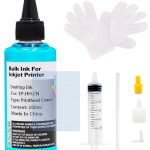
If you are topping up a tank printer or refilling a cartridge, the ink type has to match what the printer expects. Putting pigment through a system designed for dye can block the head, and the damage is not always reversible.

Our refill bottles state which they are. If you are not sure what your machine takes, ask before you pour — this is one of the few mistakes in printing that costs you the printer rather than the cartridge.

Buy it here
Epson Dye Refill Ink, 100 ml - Professional Recommended
$8.98incl GSTIn stock in AucklandAdd to cart
Epson 522 EcoTank Ink Bottle - Professional Recommended
Fits 7 printer models, including ET-1110, ET-1810, ET-2710 and more.
$9.98incl GSTIn stock in AucklandAdd to cart

Sublimation ink is a third thing entirely

Worth saying because it comes up: sublimation ink is not for paper. It is designed to be printed onto transfer paper and then heat-pressed onto polyester fabric or coated mugs, where it turns to gas and bonds into the material.

It looks dull and wrong when printed straight onto paper — that is expected, not a fault. And a printer that has run sublimation ink should not be switched back to normal ink.

Buy it here
Sublimation Ink for Epson, 100 ml - Professional Recommended
$14.98incl GSTIn stock in AucklandAdd to cart

Not sure which your printer uses?

Call 0800 INKINK with the model number. It takes us seconds, and it is worth asking before you buy refill ink rather than after.

Posted on

Cost Per Page: Is the XL Cartridge Actually Worth It?

“Is the XL worth it?” is the most common question we get after “which one fits my printer”, and it has a real answer that takes about thirty seconds to work out. The number you want is cost per page, and the price on the shelf tells you almost nothing about it.

The arithmetic

cost per page = price ÷ page yield

That is the whole method. The only hard part is finding the yield, and it is usually printed on the box or on the product page. Ours is on every product page where the manufacturer publishes one.

A worked example

These are hypothetical numbers, not current product prices: a $30 cartridge rated for 1,500 pages works out at 2 cents per rated page. A $45 cartridge rated for 3,000 pages works out at 1.5 cents. Use the current price and comparable stated yield from the actual product pages before buying.

When an XL cartridge is worth considering

A high-yield cartridge can cost less per rated page, but it is not automatically better value. Check that the standard and XL options fit the same printer and compare their current prices and stated yields. Do not assume every XL is the same shell with a fixed multiple of ink.

Your printing volume also matters. If you print rarely, or plan to replace the printer soon, paying for capacity you may not use can be poor value.

Rated yield is a comparison, not a guarantee

Yield methods differ between ink and toner and between product specifications. Use the stated test basis rather than assuming every yield is measured at 5% coverage. Actual pages depend on coverage, colour, cleaning and usage.

The number most people forget: the printer itself

Cheap inkjets are sold below cost and paid for by the cartridges. Over three years, ink very often costs more than the printer did.

So if you are choosing a new machine, work out the cost per page of its cartridges before you buy it, not after. A $99 printer with 4 cent pages is worse value than a $299 printer with 1 cent pages if you print more than about 5,000 pages.

This is also why the tank printers — Epson EcoTank, Canon MegaTank, HP Smart Tank — exist. They cost more up front and dramatically less per page. Whether that is right for you depends entirely on how much you actually print.

Where third-party cartridges fit

We are not going to publish a percentage saving, because genuine prices move and a comparison is only honest against a real price on the day you buy.

What we will tell you is how to check: take our price and yield off the product page, work out the cents per page, then do the same sum against whatever your usual retailer is charging today. Two sums, one minute, and you will have a number that is actually true for you rather than a marketing claim.

Buy it here
Brother TN2445 Toner Cartridge - Professional Recommended
Fits 5 printer models, including HLL2310D, HLL2375DW, MFCL2713dw and more.
$34.75incl GSTIn stock in AucklandAdd to cart
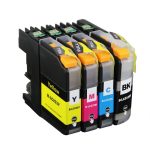
Brother LC233 Ink Cartridge - Professional Recommended
Fits 6 printer models, including DCPJ4120DW, MFCJ4620DW, MFCJ480DW and more.
Price range: $9.98 through $34.50incl GSTIn stock in AucklandAdd to cart
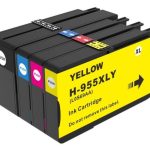
HP 955XL Ink Cartridge - Professional Recommended
Fits 9 printer models, including OfficeJet Pro 7740, OfficeJet Pro 8210, OfficeJet Pro 8710 and more.
Price range: $28.98 through $119.95incl GSTIn stock in AucklandAdd to cart

Not sure what your printer costs to run?

Call 0800 INKINK with the model. We can usually tell you the cents per page off the top of our heads, and occasionally the honest answer is that the machine is expensive to run and you would be better off replacing it.

Shop ink cartridges · Shop toner cartridges · Compare compatible and original options

Posted on

“Cartridge Not Recognised”: What That Message Means, and How to Get Printing Again

In most cases the cartridge is fine. The message means the chip handshake did not complete — sometimes a dirty contact, sometimes a stale reading, sometimes a firmware update that decided to be fussy. Work through it in order and you will usually be printing in ten minutes.

Before you assume the warning means “faulty”: in January 2022 Canon’s own cartridges started triggering these warnings on Canon’s own printers, because a chip shortage forced Canon to ship supplies without chips. Canon’s advice to its own customers was to click “I agree” and carry on printing.

That is worth holding onto. The message tells you a chip was not read. It does not tell you the ink is bad.

Try these first, in this order

One at a time, testing after each. Most people never get past step 3.

  1. Take the cartridge out and put it back. Firmly, until it clicks. Half the calls we get are a cartridge that is not quite seated.
  2. Clean the contacts. The chip is the small gold or copper rectangle. Wipe it with a dry lint-free cloth — dry, not wet, never anything abrasive. Wipe the matching contacts inside the printer too. Fingerprints and ink smears are the single most common cause.
  3. Check you peeled everything off. Every tab, strip and orange clip. On some Brother and Epson cartridges there is a clear film over the chip that is easy to miss.
  4. Power-cycle properly. Off with the printer’s own button, unplug at the wall for 60 seconds, plug back in, on. This clears the cached cartridge state. A quick off-on often does not.
  5. Reseat one cartridge at a time. If several are flagged, remove them all, insert one, close the lid, let it read, repeat. This tells you whether it is one bad chip or the printer.
  6. Check it is the right cartridge for New Zealand. NZ printers take the same numbers as Australia, but not always the same as the US or Europe. An HP 63 bought overseas may not work here even though the number matches.

Still flagged? It depends on the brand

Brother — historically the most tolerant

Brother has generally been the easiest brand for third-party consumables. In March 2025, when users alleged that firmware updates were degrading print quality with non-Brother supplies, Brother’s response was that its firmware updates “do not block the use of third-party ink and toner cartridges in our machines”. Those claims remain disputed rather than settled — but the sensible precaution is the same on any brand: if third-party cartridges are working for you, do not let the printer update itself unasked.

HP — Dynamic Security

HP checks cartridge chips and can stop non-HP chips from working, and firmware updates can change the rules after you bought. Set firmware updates to manual before you have a problem. The full picture, including HP+ and Instant Ink, is in our HP guide.

Epson — stubborn caching

Epson is the brand most likely to be fixed by the 60-second unplug in step 4. If you get “cannot recognise” on a cartridge you have just refilled, the chip is reporting empty rather than absent — a different problem, and the chip needs resetting or replacing.

Canon — usually the mildest

Canon typically lets you print anyway. You get a warning that the cartridge is not genuine and that ink level monitoring will be disabled, plus a prompt to acknowledge it — often holding Stop/Reset for 5–10 seconds. You lose the ink gauge, you keep printing.

If it turns out the cartridge really is faulty

Tell us the printer model, the cartridge number and the exact wording on the screen. If it is one of ours and it is faulty, we replace it. If it is a firmware lockout we will tell you that too, even though it means we are not selling you anything.

Buy it here
Brother LC233 Ink Cartridge - Professional Recommended
Fits 6 printer models, including DCPJ4120DW, MFCJ4620DW, MFCJ480DW and more.
Price range: $9.98 through $34.50incl GSTIn stock in AucklandAdd to cart
HP 955XL Ink Cartridge - Professional Recommended
Fits 9 printer models, including OfficeJet Pro 7740, OfficeJet Pro 8210, OfficeJet Pro 8710 and more.
Price range: $28.98 through $119.95incl GSTIn stock in AucklandAdd to cart
Epson T220XL Ink Cartridge - Professional Recommended
Fits 10 printer models, including WF2630, WF2650, WF2660 and more.
Price range: $9.00 through $37.64incl GSTIn stock in AucklandAdd to cart

Still not recognised?

Call 0800 INKINK. That combination — model, cartridge number, exact message — is usually enough for us to know whether it is a contact, a chip, a firmware lockout, or a genuinely faulty cartridge.

Posted on

HP Instant Ink, HP+ and Dynamic Security: What You Are Actually Agreeing To

HP runs three separate things that all affect which cartridges your printer will accept, and they get muddled together constantly — including by people selling you printers. They are not the same, they have different consequences, and one of them cannot be undone. Here is what each one actually commits you to.

The three things, kept apart

What it is What it costs you
Instant Ink A subscription. You pay per page printed, HP posts you cartridges automatically. The cartridges belong to the service. Cancel and they stop working — you go back to buying your own.
HP+ An enrolment offered at printer setup, usually in exchange for extra warranty and free Instant Ink months. The printer will only ever accept genuine HP cartridges. It also has to stay connected to the internet. This cannot be reversed.
Dynamic Security A chip-checking system built into most HP printers, whether or not you enrolled in anything. Cartridges without an HP chip may be rejected, and a firmware update can change the rules after you have bought.

HP+ is the one to be careful about

Instant Ink you can cancel. Dynamic Security you can manage. HP+ is a one-way door. It is offered during setup, it sounds like a free upgrade, and once accepted the printer is locked to genuine HP supplies for the rest of its life.

If you are setting up a new HP printer and you intend to use third-party cartridges, decline HP+ at setup. There is no way back afterwards, and no third-party cartridge will help you.

Dynamic Security, and what happened in court

HP publicly operates Dynamic Security, which checks cartridge chips and can stop cartridges without an HP chip from working. Firmware updates have at various times changed how strictly this behaves — cartridges that worked yesterday can stop working after an overnight update.

This has been litigated. In March 2025 HP settled a US class action brought over printers locking out third-party toner. HP paid no damages and admitted nothing, but agreed to keep disclosing its use of Dynamic Security and to keep giving users the choice to install or decline firmware updates.

Note what that settlement does and does not do. It preserves your right to decline an update. It does not promise that any given cartridge keeps working.

The two minutes that prevent most of this

Turn off automatic firmware updates on any HP printer running third-party cartridges.

Printer Settings → Services or Preferences → Printer Update → set to “Notify me” or “Do not check”. On the HP Smart app: Printer Settings → Advanced → Printer Update.

Do it before you have a problem. Once an update has installed, going back is difficult and on many models impossible.

This is why every HP product page on this site carries a firmware notice next to the price rather than buried in an FAQ. We would rather you knew before you bought.

Where you stand in New Zealand

Using a third-party cartridge does not automatically void your printer warranty. Under the Consumer Guarantees Act 1993, goods must be of acceptable quality, and that guarantee sits with the retailer and manufacturer regardless of what a warranty document says. For a manufacturer to decline a repair on these grounds, the fault would have to have actually been caused by the cartridge — a leak that damaged the head, for example. A rejected chip is not damage.

This is general information about how the law works, not legal advice on your situation. Consumer Protection NZ and Consumer NZ both publish plain-English guides to CGA rights.

Our HP cartridges

Every HP product page here states which printers it fits and carries the firmware notice. If an update has already locked you out, call us before buying more cartridges — the answer depends on your exact model, and sometimes the honest answer is that there isn’t one.

Buy it here
HP 955XL Ink Cartridge - Professional Recommended
Fits 9 printer models, including OfficeJet Pro 7740, OfficeJet Pro 8210, OfficeJet Pro 8710 and more.
Price range: $28.98 through $119.95incl GSTIn stock in AucklandAdd to cart
HP 905XL Ink Cartridge - Professional Recommended
Fits 4 printer models, including OfficeJet Pro 6960 6970 696x 697x, Officejet 6950, Officejet Pro 6960 and more.
Price range: $19.96 through $77.45incl GSTIn stock in AucklandAdd to cart
HP 63XL Black Ink Cartridge - Professional Recommended
HP 63XL Ink Cartridge - Professional Recommended
Fits 9 printer models, including Deskjet 1111, Deskjet 2130, Deskjet 3630 and more.
Price range: $34.49 through $64.38incl GSTIn stock in AucklandAdd to cart

Still not sure what you have?

Call 0800 INKINK and tell us the printer model and whether you remember accepting anything during setup. We can usually work out from that whether you are on HP+, and therefore whether we can help you at all.

Posted on

Brother Toner and Drum Unit: Two Different Parts, and Which One You Actually Need

If your Brother laser printer is asking you to replace the drum, a new toner cartridge will not fix it. These are two different parts, they wear out at different rates, and confusing them is the single most common reason a Brother laser owner buys the wrong thing.

Two parts, not one

Toner cartridge (TN…) Drum unit (DR…)
What it is The powder that makes the marks The green roller that carries the image onto the paper
How long Roughly 1,000–3,000 pages depending on the model Roughly 12,000 pages — several toners
What you see Faded print, “Replace Toner”, “Toner Low” Repeating marks or bands down the page, “Replace Drum”, “Drum End Soon”
Typical cost Lower, bought often Higher, bought rarely

On most Brother mono lasers the two clip together into one assembly, which is exactly why people think they are one part. Take the assembly out and there is a small lever — usually green — that releases the toner cartridge from the drum.

How to tell which one you need

Read the message, not the symptom.

  • “Toner Low” / “Replace Toner” → you need a TN cartridge
  • “Drum End Soon” / “Replace Drum” → you need a DR drum unit. The toner is probably fine.
  • The same mark in the same place on every page, roughly every 94 mm → drum
  • Print gets pale from one side, or pale overall → toner

Before you buy a drum: take the drum and toner assembly out, hold it level and rock it gently side to side a few times, then put it back. That redistributes the toner and clears a surprising number of “faded print” complaints for nothing.

“Replace Drum” when you have just fitted a new drum

The printer does not measure the drum. It counts pages, and the counter has to be reset by hand after you fit a new one. If you skip the reset, the printer keeps saying “Replace Drum” forever.

On most Brother mono models: open the front cover, leave the drum assembly in, press OK or hold Go for about four seconds until the Drum light goes out, then close the cover. The exact sequence differs by model — if yours does not respond to that, call us and we will look up your model.

Which parts fit which printer

Brother pairs a TN with a DR in families. Two of the most common in New Zealand:

  • HL-L2310D, HL-L2375DW, MFC-L2713DW, MFC-L2770DW, MFC-L2775DW → toner TN-2445, drum DR-2425
  • HL-1110, HL-1210W, DCP-1510, DCP-1610W, MFC-1810, MFC-1910W → toner TN-1070, drum DR-1070

The model number is on the label on the back or underneath the printer — not the serial number.

Brother toner
Brother TN2445 Toner Cartridge - Professional Recommended
Fits 5 printer models, including HLL2310D, HLL2375DW, MFCL2713dw and more.
$34.75incl GSTIn stock in AucklandAdd to cart

Does a compatible toner shorten the drum’s life?

This comes up constantly and the honest answer is: a badly made one can. Toner particle size and charge characteristics vary between manufacturers, and coarse powder is harder on the drum surface. That is an argument for buying decent compatible toner, not for paying genuine prices — but it is a real difference, and anyone telling you all compatibles are identical is selling you something.

What we can tell you is what we do: we buy on tested batches, not on price alone, and we replace anything that causes print defects within 12 months.

Not sure?

Call 0800 INKINK with the printer model and the exact wording on the display. That combination is almost always enough for us to tell you whether it is toner, drum, or neither.